Life cycle of a PLCnext Technology App
PLCnext Technology Apps (in the following they are called "apps" for short) pass through various statuses during their lifetime. Each status is associated with different properties. You can see an overview of these below:
| Status | Publicly visible | To be downloaded | Description | ||
 |
 |
unpublished | X | X | In this status, you prepare your app so that it will soon be available to everyone. |
 |
 |
published | ✓ | ✓ | An app is available in the PLCnext Store in this status. Keep the app up-to-date and publish new versions. |
|
|
discontinued | ✓ | ✓ | Select this status if you want to cancel your app. On the app's detail page, a note is displayed. |
|
|
end of life | ✓ | X | This status is set automatically after the app has been in "discontinued" status for 6 weeks. On the app's detail page, a note is displayed. |
|
|
archived | X | X | Only for emergencies. |
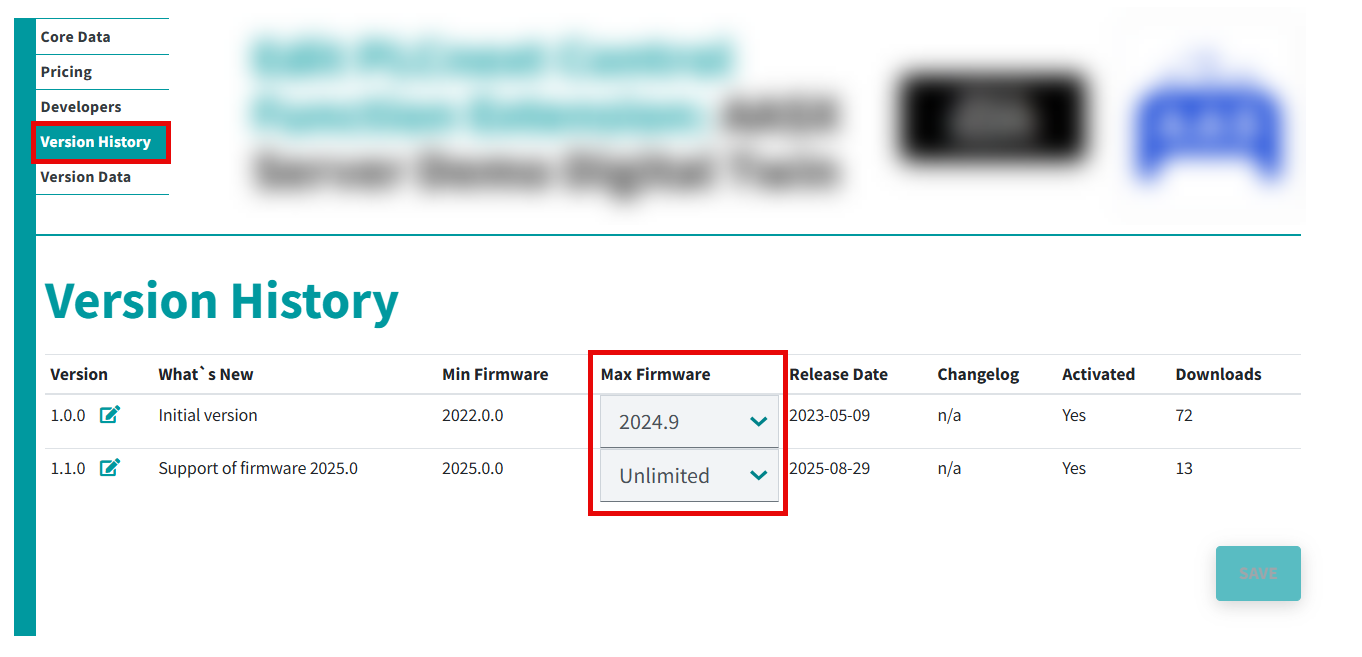
Check promptly whether your app is compatible with the latest firmware. If the app is not compatible, please add the corresponding max. firmware version for each app version in the PLCnext Store in the Version History under Max Firmware in your user profile. Proceed as follows:
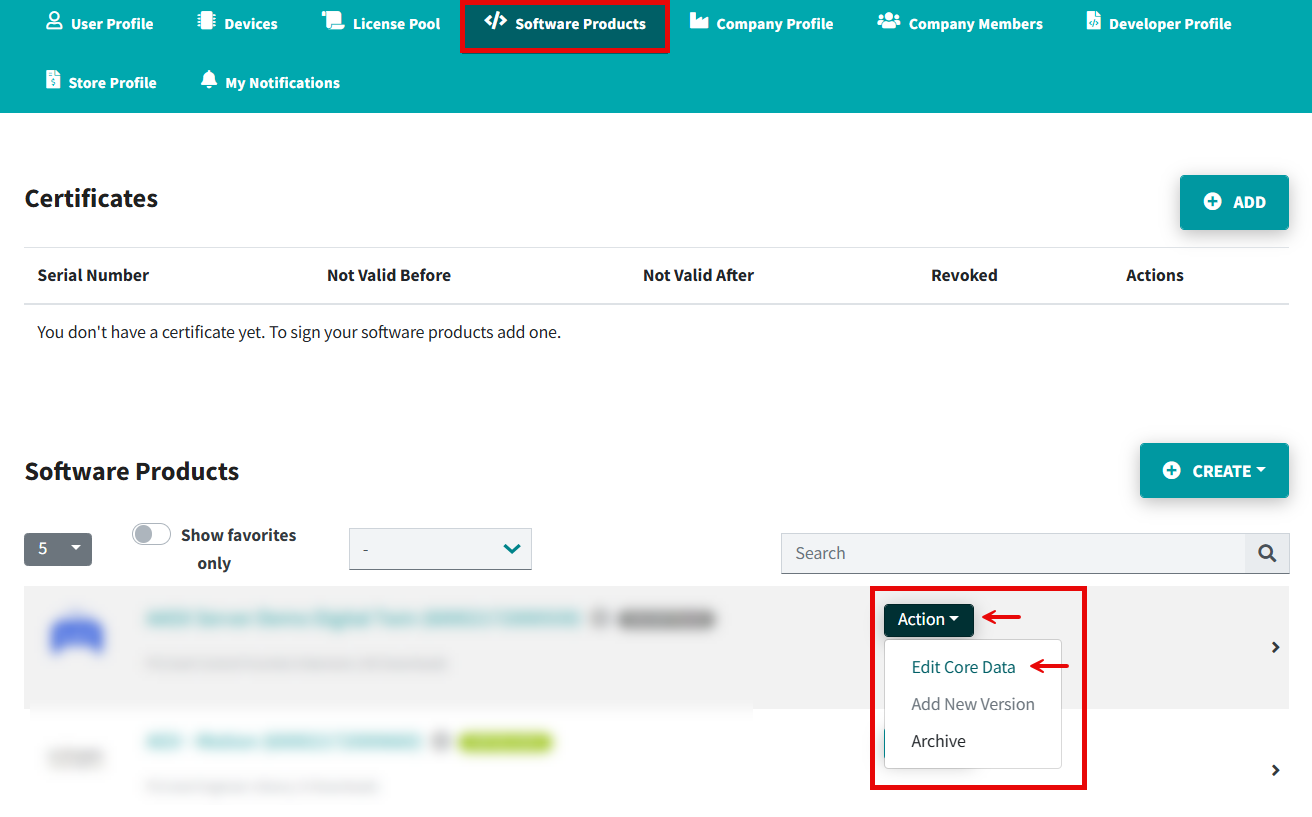
- Open the Software Products tab.
- Open the Core Data page (Action → Edit Core Data).
- Open the Version History tab and set the firmware version.
- Click the button.
• Published/reviewed: 2026-07-09 • Revision 26 •